Introduction
You can have a clear photo with the right expression and a plain background, but one bright reflection across the lenses can still create a problem. The frame can also cover part of the eye even when the glass itself looks clear.
That is why the answer to “can you wear glasses in a passport photo?” cannot be the same for every country. Some authorities allow ordinary prescription glasses when both eyes are fully visible. Others ask you to remove them unless you have a documented medical reason.
The safest approach is simple. Check the exact passport instructions first, then take the photo according to that rule. Do not remove glasses from an existing photo with an editing tool because the final image can no longer be considered an original photograph.
The answer depends on the exact application
Passport photo rules are written by the authority receiving the document. A passport office, visa centre, residence card service, or driving licence department can use a different instruction even when the photo looks similar.
The word “glasses” also covers several different situations. Clear prescription lenses are not the same as tinted lenses. Sunglasses are different from ordinary spectacles. A thick frame that covers the eye creates a separate problem from a thin frame that leaves both eyes completely visible.
The receiving authority normally wants the eyes and the surrounding facial features to remain clear. Glare can hide the pupils. A frame can cover part of the eye. A dark lens can change how the face appears in the photo.
Official glasses rules in different countries
The following comparison is based on the official pages linked in the sources section. These examples should not be treated as one worldwide rule.
| Country or authority | What the official instruction says | Practical decision |
|---|---|---|
| United States passport | Remove eyeglasses, sunglasses, and tinted glasses. If glasses cannot be removed for a medical reason, a signed note from a doctor can be required | Remove glasses unless the medical exception applies |
| Canadian passport | Clear glasses can be accepted when the eyes are visible and there is no glare. Sunglasses and tinted glasses are not accepted | Clear prescription glasses can be possible, but check the lens and frame carefully |
| United Kingdom passport | Do not wear glasses unless you need to wear them. If worn, the eyes must not be hidden by the frame, glare, reflection, or shadow | Remove them unless necessary and keep both eyes completely visible |
| Australian passport | Glasses are not allowed unless they cannot be removed for medical reasons. Vision impairment alone is not accepted as a reason | Remove glasses unless the medical exception is genuine |
| Indian Passport Seva guidance | The ICAO compliant guidance says glasses should be taken off to avoid reflections and the eyes must remain clearly visible | Removing glasses is the safer choice for an Indian passport photograph |
The Canadian rule should not be applied to every Canadian visa or immigration photograph. Canada publishes separate instructions for different applications. Always open the page for the exact document you are applying for.
The same caution applies to the United Kingdom. A passport photograph and a visa photograph can use related rules but still have separate submission instructions.
Clear glasses, tinted lenses, and large frames
Prescription glasses do not automatically create the same result in every application. The lens colour, frame position, lighting, and exact authority all change the answer.
| Type of eyewear | What can go wrong | Safer choice |
|---|---|---|
| Clear prescription glasses | A flash or room light can create a bright reflection over one or both eyes | Remove them unless the authority clearly allows them |
| Tinted prescription lenses | The eyes can look darker or less visible even when the lenses are medically prescribed | Remove them unless the exact instructions say otherwise |
| Sunglasses | They hide the eyes and are not accepted in the official examples used above | Never use sunglasses for a standard passport photograph |
| Thick or wide frames | The frame can cover the eyelid, eye corner, or part of the pupil | Use a new photo without glasses when the frame blocks any facial detail |
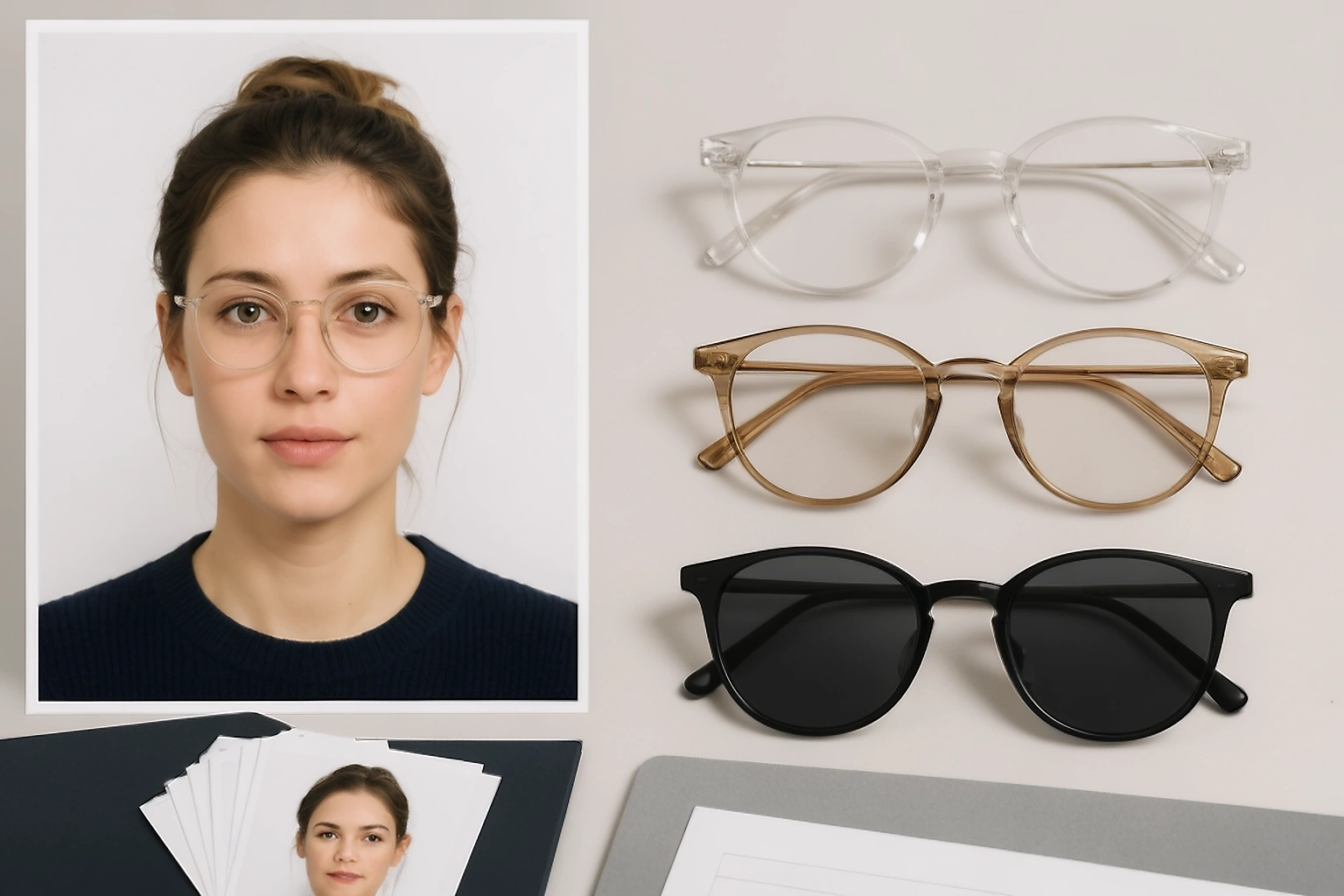
Clear lenses are not automatically safe. In a room with a bright light or camera flash, a small white reflection can appear over the pupil. The photo can look acceptable on the phone screen but become difficult to judge after it is cropped or uploaded.
Do not place the glasses on top of your head as a workaround. That still leaves an accessory in the photograph and does not solve the requirement to show the face clearly.
What a medical exception sometimes requires
A medical exception is not the same as saying that you need glasses to see clearly. Some authorities ask for evidence that you cannot remove them for a medical reason.
| Authority | Medical exception approach |
|---|---|
| United States | A signed note from a doctor can be required when glasses cannot be removed for medical reasons |
| United Kingdom | The applicant can need to explain why the photo rules cannot be followed and provide supporting evidence |
| Australia | Glasses can remain only when they cannot be removed for medical reasons. Vision impairment by itself is not accepted |
| Canada | The passport instructions allow clear glasses when the eyes are visible and there is no glare, while tinted glasses remain unacceptable |
If an exception applies to you, read the application instructions before taking the photograph. Keep any required letter or explanation with the application instead of assuming that the photo alone will explain the situation.
A medical note does not make a poor photograph acceptable. The frame still needs to stay away from the eyes. The lenses must not reflect light. Your face must remain fully visible.
How to check for reflection before submission
Take a test photo before preparing the final file. Keep the camera at face level and look directly into the lens. Check both eyes at full image size rather than judging only the small preview.
Use this four point check:
Look at the pupils and the coloured part of both eyes.
They should be visible without a white flash spot, dark tint, or frame covering them.
Inspect the frame near the eye corners.
The frame should not cover the eyelid, pupil, or the outer edge of either eye.
Check the light on both lenses.
If one lens shows a bright patch, move the light source rather than tilting your head. Tilting the head can create a different problem with the face position.
Compare the result with the official instruction.
If the authority does not allow glasses, take the photograph again without them. Do not try to repair the image later.
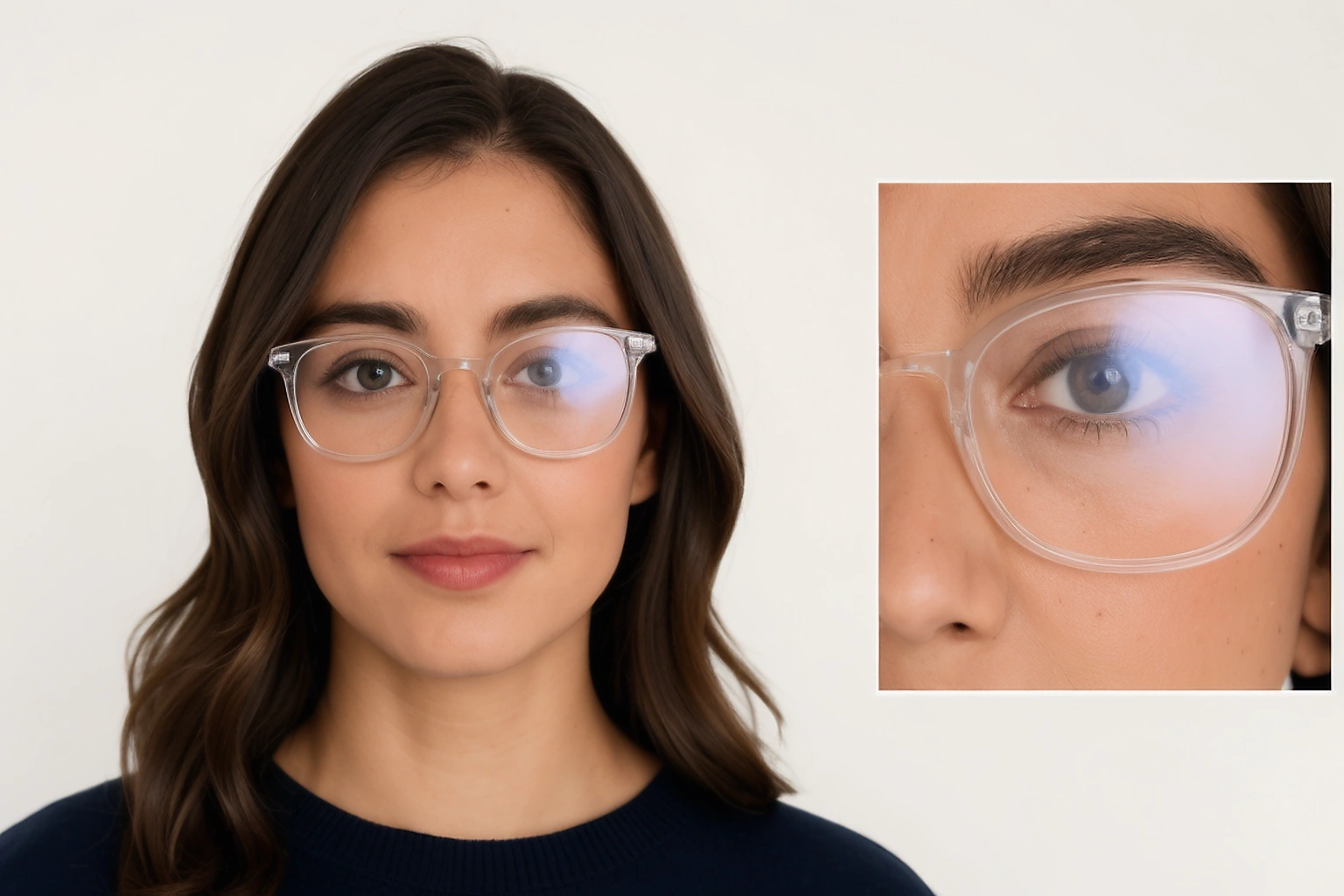
A small change in the position of the light can reduce reflection when glasses are permitted. It cannot change a rule that requires the applicant to remove glasses.
A real example from taking the photo to uploading it
Suppose you take a sharp photo at home while wearing clear prescription glasses. Both eyes are visible, but a bright reflection appears on the left lens. The first step is to check whether the authority accepts glasses at all.
If glasses are not allowed, take another photograph without them. If clear glasses are allowed, change the lighting and take another test photo. Keep the camera in front of you and avoid turning your face to hide the reflection because the final image should still show a straight front view.
After exporting the new image, open the saved file outside the editor. Look at the eyes again and check whether compression has made the reflection harder to see. If the face looks soft or the file has changed size, return to the original clear photo instead of editing the exported copy repeatedly.
This is why checking the exact rule before editing saves time. A reflection can be solved with a new photograph, while an eyewear restriction can only be solved by removing the glasses.
Why glasses should not be removed with editing software
Removing glasses from a finished photograph can change the shape of the eyes, eyelids, eyebrows, and nearby skin. It can also create an edge that was not present in the original image.
The United States requires an original photograph without digital changes. Canada states that its passport digital photo must not be altered and includes changes such as removing glare or changing the background. Australian guidance also rejects retouching and requires the photograph to represent the applicant accurately.
For these routes, do not use software to erase the frame or paint over a reflection. Take a new photograph without glasses when the rules require removal.
The same principle is useful even when an authority allows clear glasses. If the lens reflection is too strong, a fresh photograph gives you a more reliable result than trying to repair the eye area afterwards.
Check the saved file before uploading
The editor preview is not the final file. After saving the photograph, open the downloaded image on your device and check the eyewear again.
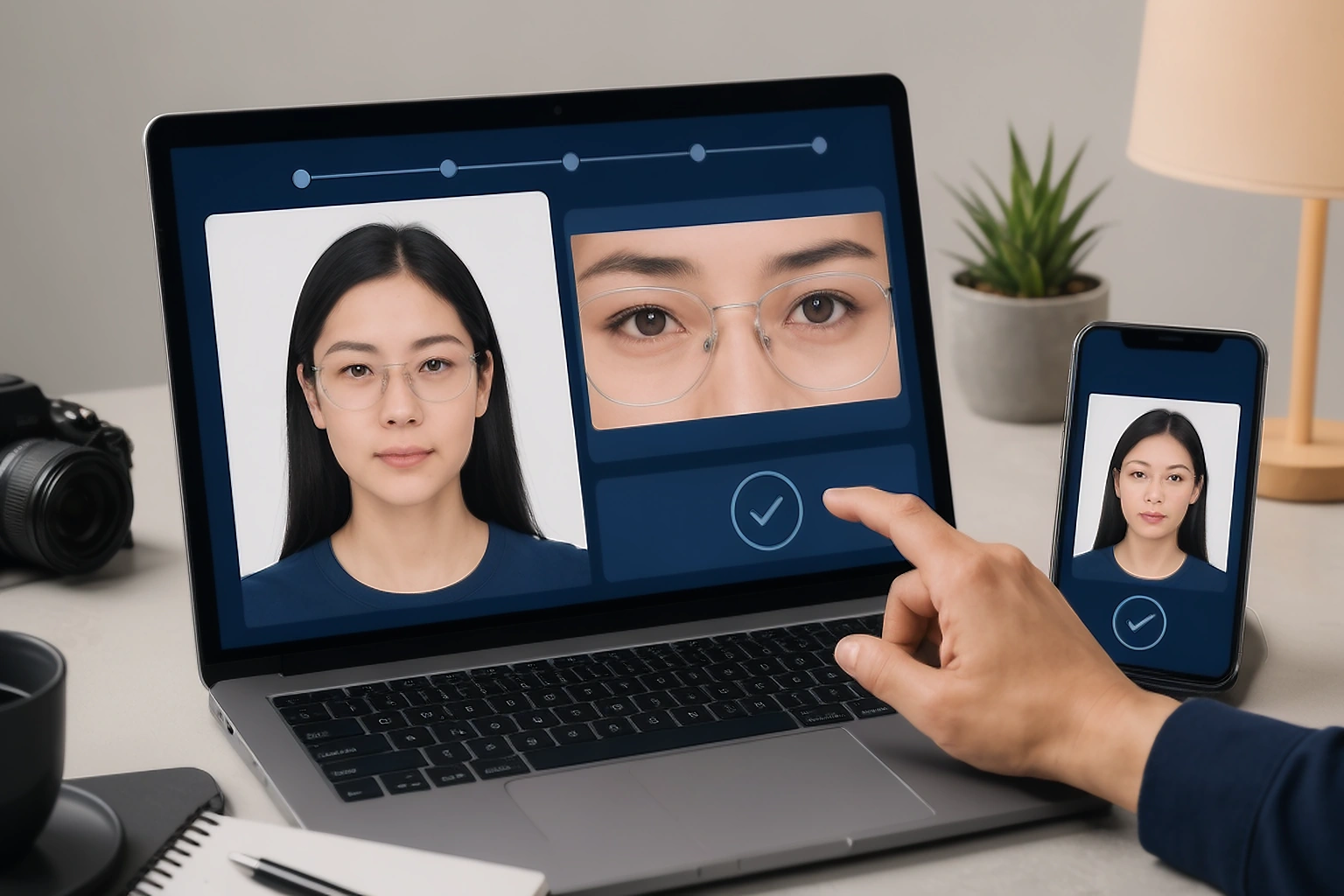
Confirm these four points:
- The eyes remain visible at the final image size.
- No reflection covers the pupils or coloured part of the eyes.
- The file format, pixel dimensions, and file size match the application instructions.
- The saved image is the actual photograph and not a screenshot of the editor preview.
Do not rename a file and assume that its format has changed. Do not upload a screenshot because it can add unwanted compression or change the image dimensions.
If the application rejects the photograph, save the exact message before changing anything. That tells you whether the problem relates to glasses, file size, dimensions, or another requirement.
Keep this page separate from general passport photo requirements
This page is only about glasses, reflections, tinted lenses, frames, and medical exceptions. It should not try to rank for every passport photo requirement.
For size, background colour, face position, expression, and upload rules, link readers to the separate Passport Photo Requirements guide. For a file review, link to the Passport Photo Checker.
This separation keeps the page useful for people searching specifically for passport photo glasses. It also prevents the page from repeating the complete information already covered on the broader requirements page.
sometimes asked questions
Can you wear glasses in a passport photo?
It depends on the country and the exact application. The United States and Australia generally require removal with limited medical exceptions. Canada permits clear glasses when the eyes are visible and there is no glare.
Can I wear clear prescription glasses in a passport photo?
Clear prescription glasses can be accepted by some authorities. Canada permits them when the eyes are clearly visible and the lenses have no glare. Other authorities ask applicants to remove them unless a medical exception applies.
Can you wear glasses in a United States passport photo?
United States passport instructions say to remove eyeglasses, sunglasses, and tinted glasses. If you cannot remove glasses for a medical reason, the application can require a signed note from your doctor.
Can you wear glasses in a Canadian passport photo?
The Canadian passport instructions allow glasses when the eyes are clearly visible and there is no glare on the lenses. Sunglasses and tinted glasses are not accepted. Check the exact Canadian application because other document routes can use different specifications.
Can you wear tinted glasses in a passport photo?
Tinted glasses are not a safe choice for passport photographs. They can hide the eyes and are specifically rejected in the United States, Canada, the United Kingdom, and Australia instructions used in this guide.
Can I remove glasses from a passport photo with an editor?
Do not remove glasses digitally when the authority requires an original or unaltered photograph. A new photograph without glasses is safer because editing can change the appearance of the eyes and surrounding facial features.
What should I do if my glasses create glare?
First check whether glasses are allowed for the exact application. If they are not allowed, take another photo without them. If they are allowed, change the position of the light and take a fresh photograph instead of editing the reflection away.
The short conclusion
The safest answer is not simply yes or no. It depends on the authority receiving the photograph.
Remove your glasses when the instructions require it. If clear glasses are allowed or a genuine medical exception applies, make sure the frame does not cover the eyes and the lenses do not reflect light. Then check the downloaded file because the saved image is the one that reaches the application portal.
Check your photograph before submission
Open the PassportPhotoBox checker to review the visible image and the saved file details. Keep the official application instructions open because the receiving authority makes the final decision.
Official sources checked on 30 August 2026
The rules below come from official government pages. They are included to show why glasses cannot be treated with one universal rule.